.webp)


Contact Us
Let’s Partner for Your Next Big Presentation
Consult with our Business Advisor
.webp)


Making a presentation used to consume your whole afternoon. Picking a template, fixing alignment, finding images that didn't look like ordinary stock photos; it was a whole thing. Now, tools like Gamma, Canva, and Genspark let you generate a decent-looking deck in minutes. That's why making an AI presentation tools comparison in 2026 has become important for many people before they even open a blank slide.
But "fast" doesn't always mean "right for you." Gamma is great at building a full narrative on its own. Canva shines when you want something polished and on-brand. Genspark is handy for outlining and writing content that you can move into a slide tool. Each one is genuinely good at something, and each one has a point where it stops being enough.
Let's break down which tool fits which job, and where all three still fall short.
This table shows an AI presentation tools comparison across the factors that actually matter when you're picking a tool for your next deck.
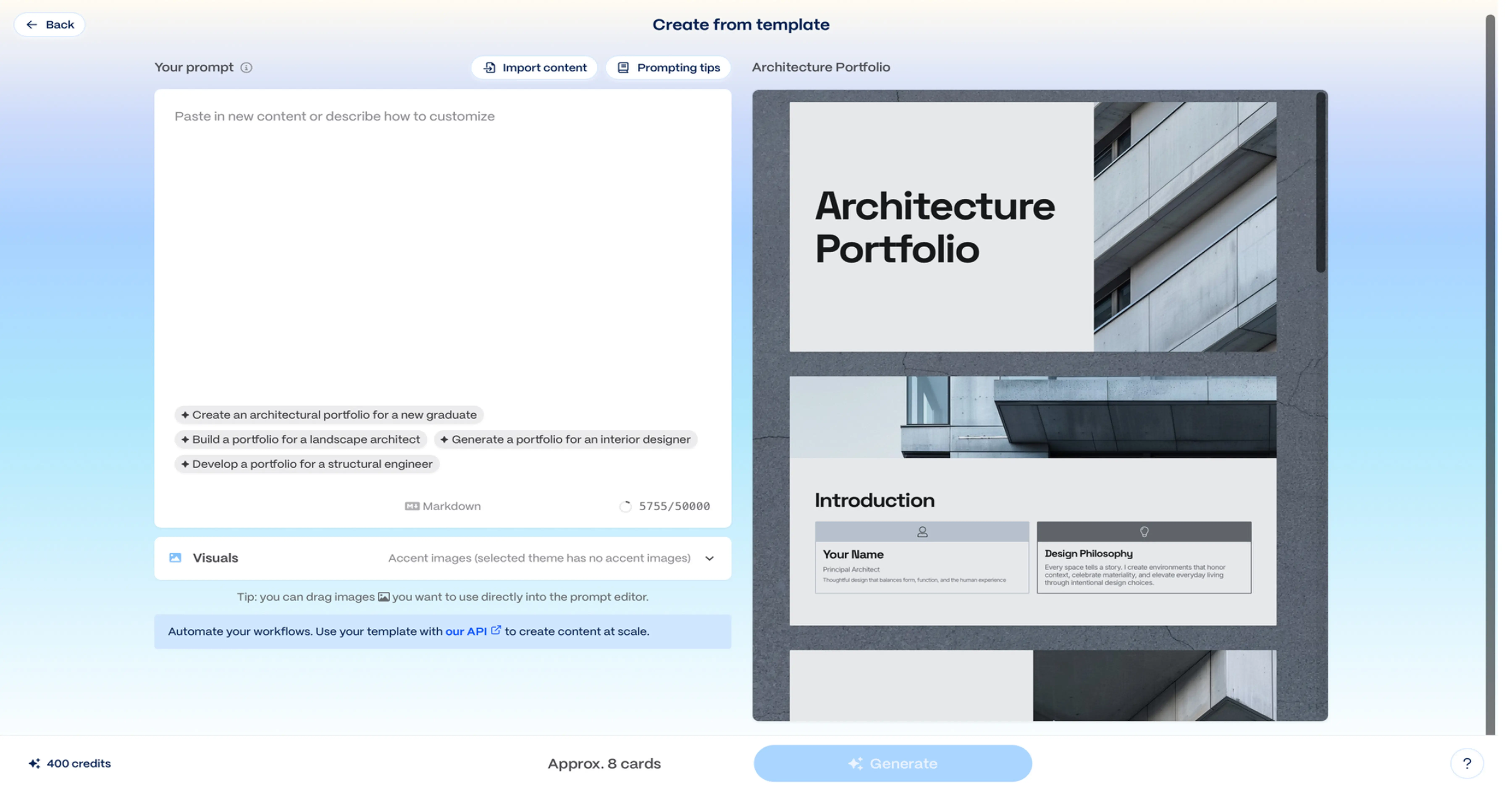
Gamma AI has become one of the most popular names in any AI presentation tools comparison, and for good reason. It doesn't just design slides; it builds the entire narrative for you.
Type in a topic, paste an outline, or drop in a rough set of bullet points, and Gamma turns it into a structured, multi-slide presentation in minutes. It handles the parts people usually fear most, such as deciding how many slides you need, breaking content into logical sections, and choosing layouts that match the content type on each slide (text-heavy, image-heavy, data-heavy, and so on).
This is where Gamma AI genuinely earns its reputation as one of the fastest AI PPT maker options available. For first drafts, internal updates, or decks you need to get together on short notice, it removes almost all the manual setup work.
The speed comes with compromises:
In brief: Gamma AI is excellent for getting from zero to a full deck fast, but if design control and brand precision matter more than speed, it starts to show its limits. That compromise is exactly what comes up in most Gamma AI vs Canva discussions, which we'll understand further.
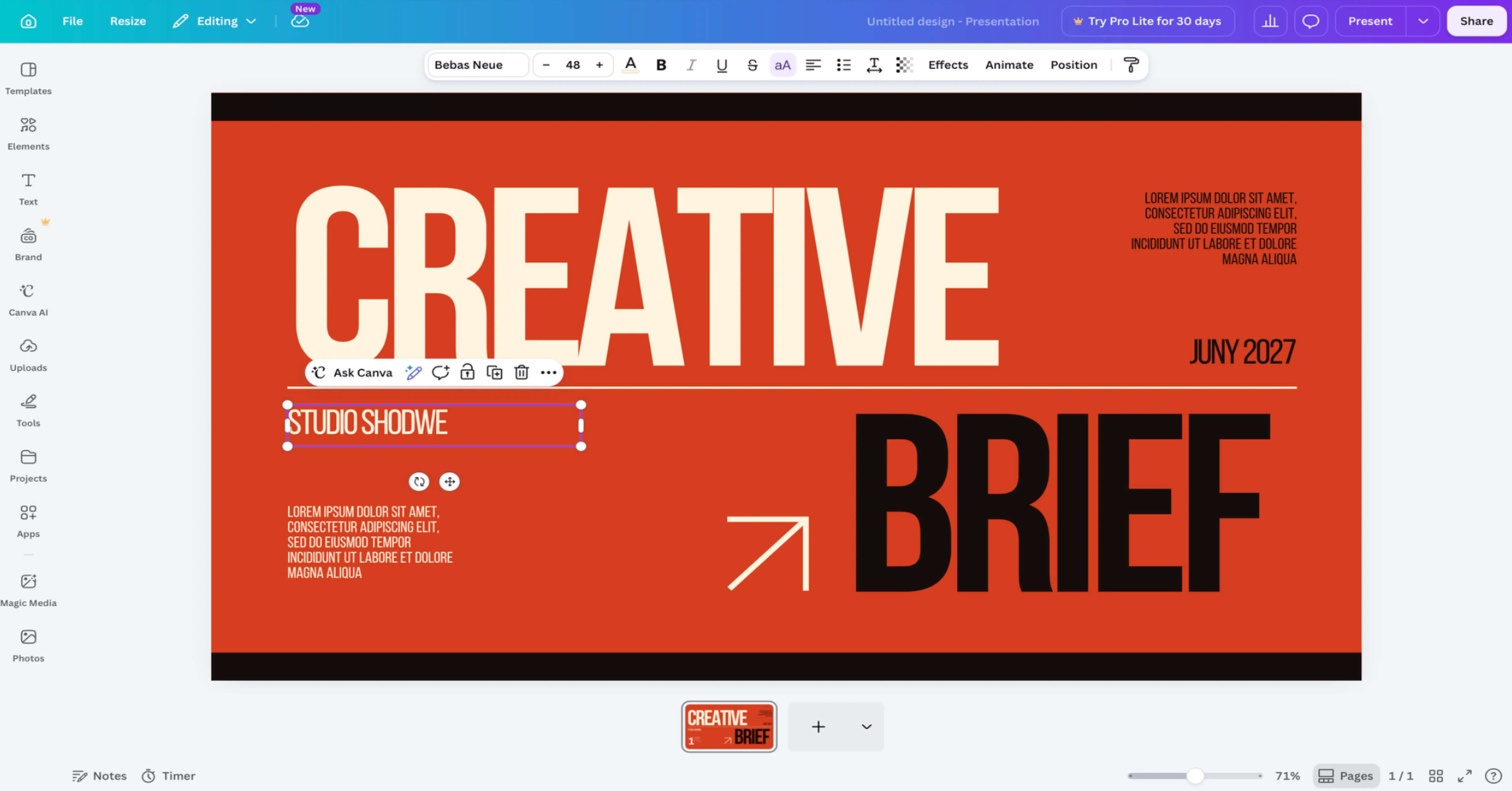
If Gamma wins on speed, Canva wins on design. It's the tool most people already associate with polished visuals, and that reputation carries over well into presentations.
Canva's biggest strength is control. With thousands of professionally designed templates, drag-and-drop editing, and a massive library of fonts, icons, images, and layouts, you can shape a deck exactly the way you want it, slide by slide. Unlike auto-generated decks, nothing here feels fixed or out of your control.
This makes Canva a strong pick when a presentation needs to look unique rather than like a templated pitch deck, portfolio, marketing presentation, or anything presented to a client. In most AI PPT maker comparison breakdowns, Canva consistently ranks highest for visual quality and design flexibility, simply because you have full manual control over every element.
That control comes at a cost, mainly time and automation.
In brief: Canva is the strongest choice when design quality and flexibility matter more than speed. This exact balance between automation and control is what most Gamma AI vs Canva comparisons are really about. It's worth keeping in mind before you pick either tool for your next deck.

Genspark has quickly become one of the more talked-about names in any AI presentation tools comparison, mainly because it doesn't just generate slides from a prompt; it researches the topic first.
Type in a topic or paste a rough brief, and Genspark builds a full multi-slide deck around it, pulling in relevant web data, images, and even charts along the way. It handles the research and structuring in one go, generating an outline for your review before building out each slide with sourced content and formatting.
This is where Genspark for PowerPoint genuinely stands out as one of the more complete AI PPT maker options available, since it combines research, writing, and slide design into a single step. For sales decks, lecture slides, or quick client proposals, it removes plenty of the manual work others still leave to you.
The convenience comes with a few adjustments:
In brief: Genspark AI is a strong pick when you want research, writing, and slide design handled together in one place. But if you need full manual control over layout and data, it still works best alongside a more design-flexible tool. That gap between speed and research versus hands-on control is something worth remembering in any AI PPT maker comparison.
Skip the AI presentation tools comparison altogether. INK PPT's presentation design services pair AI speed with expert design, so you get a polished, ready-to-present deck without the extra work.
Gamma, Canva's AI features, and Genspark all help make presentations faster to build. But faster isn't always what a deck needs. Here's where relying fully on AI presentation tools starts to work against you.
Board meetings, investor pitches, and important sales presentations need more than correct information. They also need a clean, professional design. An AI PPT maker can create slides quickly, but the results often use the same layouts, basic icons, and common structures. This can make presentations look similar instead of unique.
Investors see a lot of pitches. If yours looks like generic AI output, it can hurt your credibility, even if the content is strong. This is one of the clearest limits of automation in this AI presentation tools comparison. High-stakes decks like these need a human touch for originality, not just a correctness check.
Neither tool keeps your brand consistent on its own. Gamma doesn't really enforce anything; people can override the shared theme, and old decks don't update when brand settings change. Canva can lock things down with templates and approval steps, but only on higher-tier plans and only if someone sets it up.
If no one sets it up, both tools end up looking the same way: fonts, colors, and logos start to look different across decks. This is a common gap in any AI PPT maker comparison; real brand consistency still needs a human design system and manual review, not just the tool itself.
A few things are still judgment calls, not something AI pattern-matches well:
AI is good at generating a version of a slide. It's not yet great at knowing why one version works better for a specific audience.
Canva's top tier does change things. Its Enterprise Brand Controls can lock in and implement brand rules, even automatically updating logos in old decks. Gamma's Pro plan adds more brand kits but still doesn't enforce anything; users can replace the theme, and old decks still require manual updates. Genspark sits somewhere in between; it lets you save a deck or an uploaded .pptx as a reusable template so new decks follow the same fonts, colors, and layout, but like Gamma, it doesn't stop someone from ignoring that template and building a deck outside it.
For enterprises, the decision goes beyond speed. An AI PPT maker is useful for routine presentations and quick drafts. However, board meetings, investor pitches, and client presentations demand strategic storytelling, strong branding, and polished design. This is where human presentation design still wins by delivering originality, business context, and lasting impact.
Honestly, there's no single winner here. Gamma AI wins if you need a deck fast and don't want to touch layout decisions yourself. Canva wins if design quality and brand control matter more than speed. Genspark wins if you want research, content, and slide-building handled together in one step. If you're picking just one in 2026, ask what your deck needs most: speed, design, or research-backed content, and let that answer the question for you.
Great presentations shouldn't take hours. With INK PPT's presentation design services, you get speed and design quality together, professional decks built by experts, and ready to send or present.
As a passionate explorer, I see crafting the perfect story as embarking on a refreshing Himalayan journey. Every narrative is an adventure, a voyage of imagination, meticulously molded into captivating presentations. I'm here to guide you, ensuring your story becomes an unforgettable odyssey, with each creation as a vibrant landscape ready to captivate eager audiences.

About the Author




Consult with our Business Advisor


